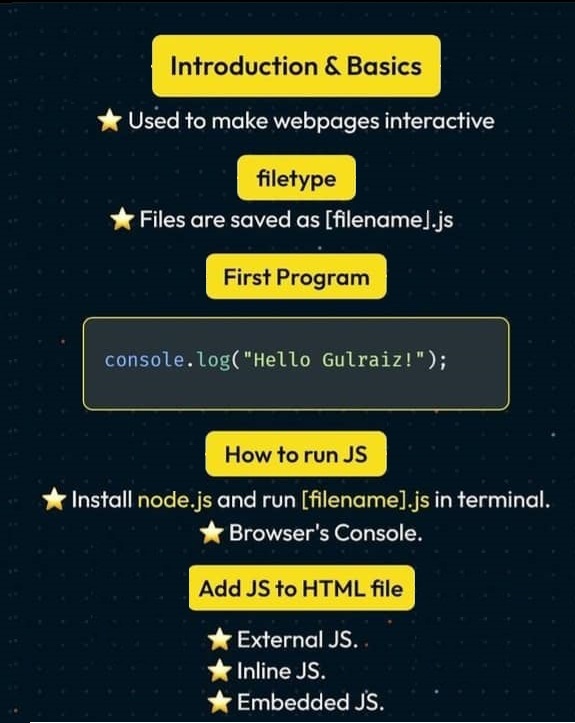
Javascript basic sections for Beginners with Examples
JavaScript is a powerful programming language used to create interactive and dynamic content on web pages.
This tutorial will introduce you to the basic sections of JavaScript with simple examples.
Variables and Data Types
Variables store data that can be used and modified later. In JavaScript, you can declare variables using var, let, or const.
let name = "John"; // String
const age = 25; // Number
var isStudent = true; // Boolean
console.log(name, age, isStudent);
Output:
John 25 true
Operators
JavaScript provides various operators for performing calculations and logical operations.
let x = 10;
let y = 5;
console.log(x + y); // Addition
console.log(x - y); // Subtraction
console.log(x * y); // Multiplication
console.log(x / y); // Division
console.log(x % y); // Modulus
console.log(x > y); // Comparison
console.log(x === 10 && y === 5); // Logical AND
Output:
15
5
50
2
0
true
true
Conditional Statements
Conditional statements allow you to execute code based on conditions.
let score = 85;
if (score >= 90) {
    console.log("Grade: A");
} else if (score >= 75) {
    console.log("Grade: B");
} else {
    console.log("Grade: C");
}
Output:
Grade: B
Loops
Loops help in executing repetitive tasks efficiently.
for (let i = 1; i <= 3; i++) {
    console.log("Iteration:", i);
}
Output:
Iteration: 1
Iteration: 2
Iteration: 3
Functions
Functions help organize and reuse code.
function greet(name) {
    return "Hello, " + name + "!";
}
console.log(greet("Alice"));
Output:
Hello, Alice!
Built-in Functions
JavaScript provides many built-in functions for common tasks.
console.log(Math.max(10, 20, 30)); // Finds the maximum number
console.log(Math.sqrt(16)); // Square root
console.log("Hello".toUpperCase()); // Converts string to uppercase
console.log(JSON.stringify({ name: "John", age: 30 })); // Converts object to JSON string
Output:
30
4
HELLO
{"name":"John","age":30}
Arrays
Arrays store multiple values in a single variable.
let fruits = ["Apple", "Banana", "Cherry"];
console.log(fruits[0]); // Apple
console.log(fruits.length); // 3
console.log(fruits.includes("Banana")); // Checks if array contains "Banana"
Output:
Apple
3
true
Objects
Objects store key-value pairs.
let person = {
    name: "John",
    age: 30,
    city: "New York"
};
console.log(person.name); // John
console.log(person["age"]); // 30
console.log(Object.keys(person)); // Gets keys of the object
Output:
John
30
[ 'name', 'age', 'city' ]
DOM Manipulation
JavaScript allows you to interact with HTML elements dynamically.
document.getElementById("demo").innerText = "Hello, JavaScript!";
Conclusion
This tutorial covered the basics of JavaScript, including variables, operators, conditionals, loops, functions, built-in functions, arrays, objects, and DOM manipulation. Keep practicing and experimenting to improve your skills!